What Is Corrupted Text? Why Some Unicode Looks Broken
Search “corrupted text,” and you’ll get two completely different answers mixed up. Some people mean the wild, dripping, glitchy Unicode-style people who paste them into Discord bios on purpose. Others mean the genuinely broken gibberish that appears when a file, email, or webpage accidentally displays the wrong characters, like “é” instead of “é”.
Both are real, both get called corrupted text, and almost nothing online explains them side by side. This article clearly covers both meanings: what corrupted text means in the internet-culture sense, what it means in the technical sense, the difference between corrupted text and glitch text, and why text looks corrupted in the first place at the character encoding level.
What Is Corrupted Text, Really
Corrupted text refers to any text that displays incorrectly, either on purpose or by accident.
That single phrase covers two very different situations:
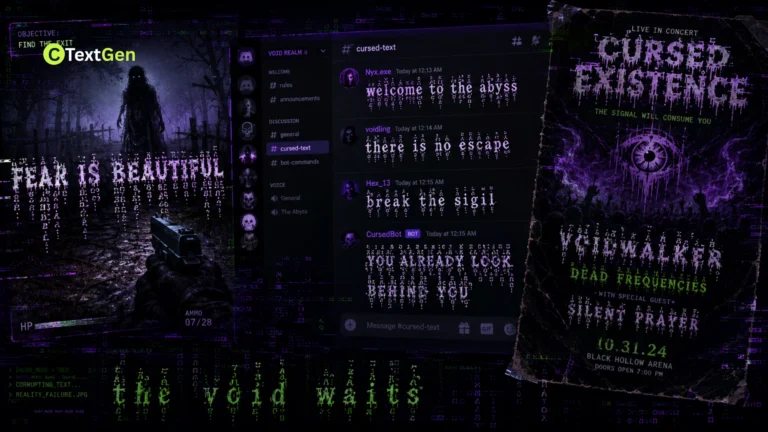
- Intentional decorative corruption. Text deliberately styled to look broken, glitchy, or distorted using Unicode symbols, often for horror memes, gaming usernames, or edgy captions. This is what most generator tools and social media users mean by the term.
- Unintentional technical corruption. Text that displays as garbled symbols, question marks, or boxes because a computer system misread the encoding it was written in. This is the version software developers, IT teams, and anyone dealing with a broken file actually deal with.
Knowing which one you’re dealing with changes everything about how you fix or use it, so it’s worth walking through both properly.
Corrupted Text Meaning in Internet Culture
This is the version most people searching for a cursed text generator or corrupted text tool actually want: text that looks glitchy or unsettling on purpose.
How Decorative Corrupted Text Is Made
This style is built using Unicode combining diacritical marks, a set of characters mostly found in the range U+0300-U+036F. These marks exist for legitimate reasons, like the accent in “café” or the tilde in “jalapeño.” A combining mark attaches to whichever character comes directly before it, sitting above, below, or through that letter.
Generators exploit the fact that Unicode never capped the number of marks that can attach to a single letter. While the standard has no hard ceiling, understanding cursed text character limits is essential to prevent social media platforms from truncating your posts. Stack a handful, and you get a subtly rough look. Stack dozens, and the letter appears to explode upward and downward across multiple lines, which is the dripping, chaotic effect most people picture when they hear “corrupted text.”
This technique traces back to 2004, when a member of the Something Awful forums began editing comic strips to look increasingly warped, attributing the distortion to a fictional entity called Zalgo. The name stuck to the text style itself, and it later became the basis for a whole creepypasta mythology around an unseen, world-consuming force.
Corrupted Text vs Glitch Text
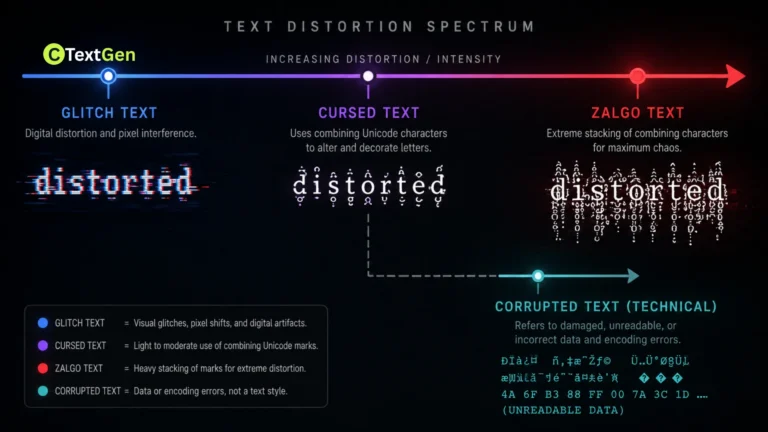
People often use “corrupted text,” “glitch text,” “Zalgo text,” and “cursed text” interchangeably, but there are real differences in how intense each style typically looks:
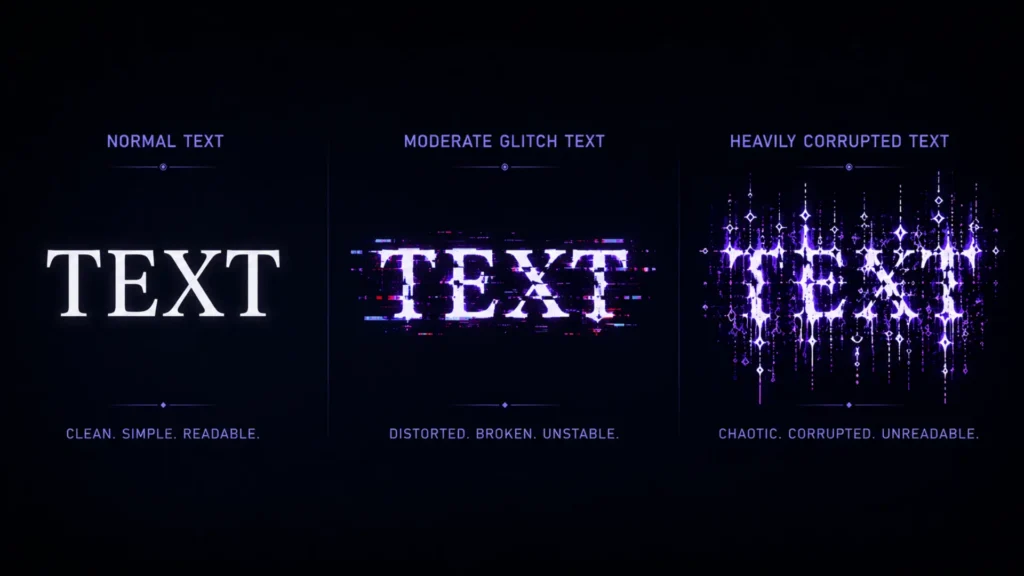
- Glitch text usually means a moderate amount of distortion—jagged but still fully readable—and is often used for a cyberpunk or hacker aesthetic.
- Corrupted text and Zalgo text typically refer to a heavier, more extreme version where letters overflow their line height entirely.
- Cursed text is the broadest umbrella term, covering all of the above along with lighter distortion styles, tied to the general internet slang meaning of “cursed” as something strange or unsettling.
All of them rely on the same underlying Unicode mechanism. The difference is purely in how many combining marks are stacked on each letter, not in the technology behind them.
Corrupted Text Meaning in Software and Data
This is the meaning almost every decorative-text website skips entirely, and it’s the one that actually causes real problems for developers, businesses, and anyone handling files across different systems.
Why Text Looks Corrupted at the Encoding Level
Every letter your computer displays is stored as a sequence of bytes, and a character encoding is the rulebook that translates those bytes back into readable characters. UTF-8 has become the dominant encoding standard on the web, but many older systems still use others, such as Windows-1252, Latin-1, or Shift-JIS for Japanese text.
Text becomes genuinely corrupted, a phenomenon officially called mojibake, when it’s written using one encoding but read using another. The bytes themselves never change. Only the interpretation goes wrong. A classic example: an accented “é” stored in UTF-8 is misread using Latin-1 rules and displays as “é” instead. Nothing about the file broke. The reading system used the wrong translation table.
This happens more often than people expect. A CSV file exported from Excel without a byte-order marker, a database column set to the wrong encoding, or an email client that guesses the wrong character set can all produce garbled results, even though the underlying data is intact.
Mojibake vs Missing Font Glyphs
Two different problems get lumped together under “corrupted text” in the technical world, and they’re worth separating clearly:
- Mojibake occurs when the encoding used to write text doesn’t match the encoding used to read it, resulting in strings of unrelated symbols.
- Missing glyphs, often shown as small square outlines, sometimes called “tofu,” happen when the encoding is read correctly, but the font being used simply doesn’t include a matching character to display.
The fix for each is completely different. Mojibake needs a correct encoding declaration or conversion. Missing glyphs require a font that actually supports the character in question, usually one with broader Unicode coverage.
Why Some Unicode Looks Broken, Summed Up
Whether it’s a horror-themed username or a garbled email subject line, the root cause is the same: Unicode is a massive system with far more flexibility than most rendering software fully accounts for. Decoratively corrupted text exploits that flexibility on purpose by stacking and combining marks past their intended use. Technically corrupted text occurs when that flexibility is mishandled, due to mismatched encodings or missing font support.
Neither one means the text is permanently damaged. Decoratively corrupted text is just heavily decorated plain text. Technically corrupted text almost always has its original bytes intact somewhere, waiting for the correct encoding to be applied so it can be read properly again.
Practical Examples
Decoratively corrupted text:
- A username styled as t̷h̷i̷s̷ for a gaming clan tag.
- A heavily stacked Halloween caption for a horror-themed Discord server.
- A moderate glitch effect for a cyberpunk-style social media bio.
Technically corrupted text:
- An email showing “México” instead of “México” because of an encoding mismatch.
- A downloaded CSV file displaying “’” instead of an apostrophe.
- A webpage showing empty square boxes where emoji or foreign-language characters should appear.
Tips for Working With Corrupted Text
- For decorative use: keep phrases short, since heavy corruption can make full sentences unreadable, and always preview how it renders before posting somewhere important.
- For technical issues: always check and explicitly declare UTF-8 as your encoding across your entire pipeline, from source files to databases to API responses, since inconsistency between layers is the most common cause of mojibake.
- For missing glyphs: switch to a font with broader Unicode coverage rather than assuming the underlying data is broken.
- When in doubt, test first. For decorative text, paste a sample into the platform you plan to use. For technical text, use a tool that reports the detected encoding before you try to fix anything.
Common Mistakes to Avoid
- Assuming decorative corrupted text is a virus or hack. It’s plain Unicode text, not executable code, and it can’t damage a device on its own.
- Assuming mojibake means the data is lost. In almost every case, the original bytes are intact and need to be reinterpreted with the correct encoding.
- Mixing encodings across a system. Using UTF-8 in your source code but Latin-1 in your database, or vice versa, is one of the most common causes of real-world text corruption.
- Overusing heavy decorative corruption. Dense Zalgo-style text in long paragraphs is genuinely hard to read and can look like spam rather than intentional styling.
Frequently Asked Questions
Is corrupted text dangerous to click on or copy?
No, decorative corrupted text is plain Unicode text, not a script or executable file, so it can’t harm your device. Technical mojibake is misread data and carries no risk either.
What is the difference between corrupted text and cursed text?
They’re closely related. Cursed text is the broader term for deliberately unsettling or distorted text styles, while corrupted text more often describes either the heaviest version of that same effect or, separately, accidental encoding errors.
Why does my exported file show weird symbols instead of normal letters?
This is almost always mojibake, caused by the file being written in one character encoding and opened or read using a different one. Re-opening the file with the correct encoding usually restores the original text.
Can corrupted text be typed on a regular keyboard?
Decorative corrupted text can be generated using any keyboard through an online generator, since it’s built entirely from standard Unicode characters rather than a special font. You don’t need any special software to create or paste it.
Does every app support corrupted text the same way?
No. Decorative corrupted text can be trimmed or stripped by platforms with strict input rules, such as usernames or SMS. On the technical side, how mojibake displays also varies by app, since different programs make different guesses about which encoding to use. A broader discussion of how people encounter and use decorative, corrupted-looking text can be found in this Reddit thread.
Conclusion
Corrupted text isn’t one thing. It’s two unrelated phenomena that happen to share a name. One is a deliberate creative trick built on Unicode combining marks, stretching back to a 2004 forum meme about an entity called Zalgo. The other is a genuine technical hiccup caused by mismatched character encodings, unrelated to horror memes or internet culture. Once you know what kind of corrupted text you’re actually looking at, fixing it or using it effectively becomes much more straightforward.