Does Cursed Text Work on Mobile Devices Perfectly? The Complete Guide
You paste a heavily stacked cursed text username into your phone, hit send, and it looks nothing like it did on the generator website. Some letters are missing their marks. The message took a second longer to load than usual. Maybe it didn’t send at all.
With smartphones now accounting for roughly half of all web traffic in the United States and the clear majority of everyday messaging, this isn’t a niche problem. This article gives a straight answer to “does cursed text work on mobile,” walks through the specific cursed text rendering issues that show up on phones, and explains exactly why cursed text looks broken on phone screens more often than on a desktop browser.
Does Cursed Text Work on Mobile Devices?
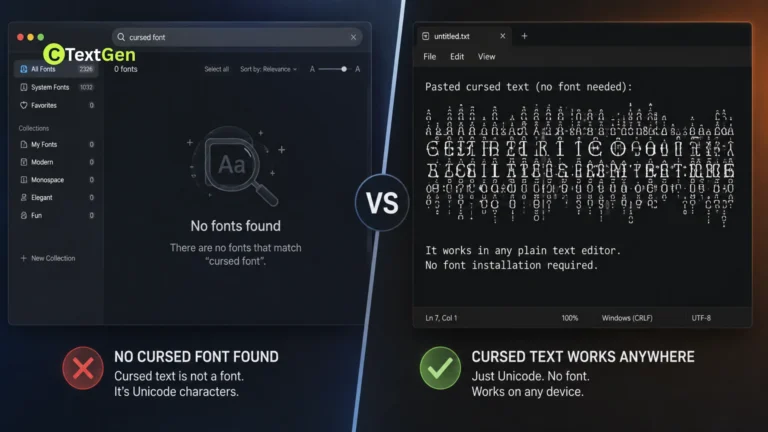
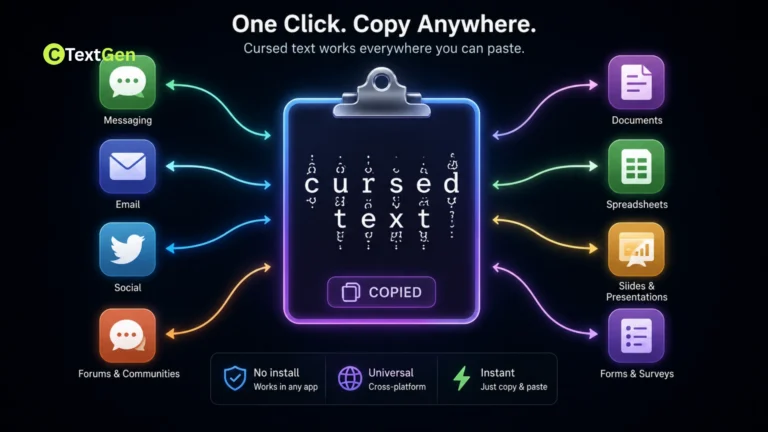
Does Cursed Text Work on Mobile? Yes, cursed text works on mobile devices, in the sense that it’s built from standard Unicode characters that any modern smartphone can technically display. If you’re new to how these characters function, read our complete guide on what cursed text is for a detailed overview. It isn’t a special font or an app-specific feature, so there’s no compatibility requirement in the way there might be for, say, a specific emoji version.
That said, “works” and “works perfectly” aren’t the same thing. Mobile devices are considerably more likely than desktop browsers to trim, lag on, or outright strip heavily distorted cursed text, for reasons that have more to do with hardware limits and app-level filtering than with Unicode support itself.
How Cursed Text Renders on a Phone vs a Computer
The Same Unicode Engine, Different Hardware
Every device that displays cursed text is doing the same basic job: reading a base letter, then stacking however many Unicode combining diacritical marks follow it, positioning each one above, below, or through that letter. Desktop computers generally have more processing power and memory dedicated to rendering, so they can draw dozens of stacked marks per character with little strain.
Phones run the same rendering logic on considerably less powerful hardware, often while also managing background apps, notifications, and battery-saving processes. Heavily stacked cursed text, the kind with 30 or more combining marks per letter, asks the rendering engine to calculate and draw a lot more visual information than a phone’s graphics pipeline typically expects from plain text. That mismatch is the root of most cursed text rendering issues on mobile.
iOS vs Android
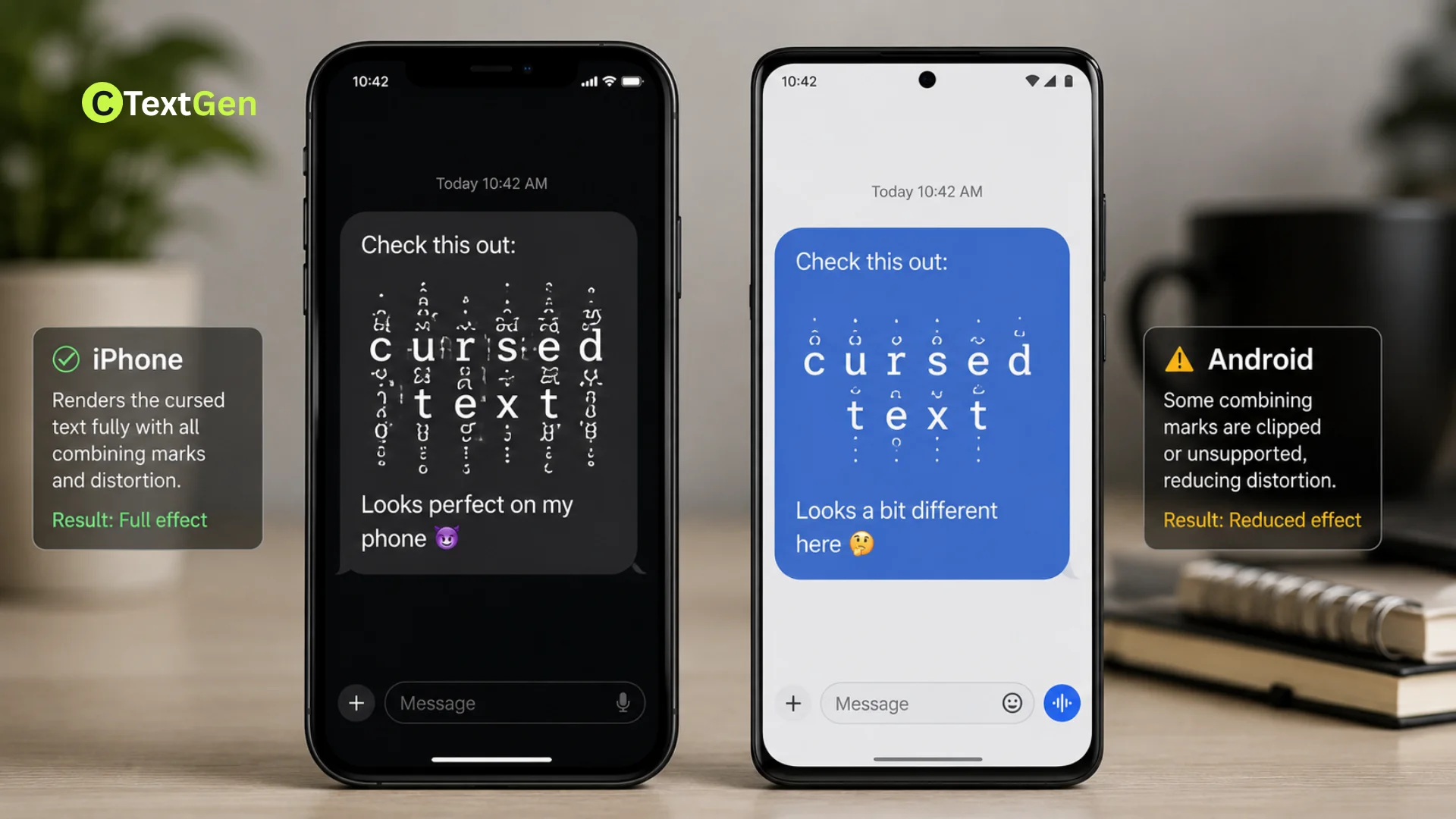
Since Android holds a global mobile operating system market share of over 70%, with iOS accounting for the rest, understanding how each platform handles this differently covers the vast majority of real-world cases.
iPhone and iMessage Behavior
Apple’s Messages app has a documented history of struggling with extremely dense Unicode text. Older versions of iOS were vulnerable to an issue where certain heavily stacked character sequences, including Zalgo-style text, could cause the Messages app to slow down, freeze, or crash when trying to render a preview or notification. Apple has patched the most severe versions of this issue over time, but it’s part of why iMessage in particular tends to be more conservative about how it previews unusually dense Unicode content, sometimes truncating a message preview even when the full message sends correctly.
Android Keyboard and App Behavior
Android’s more fragmented ecosystem, spanning many manufacturers, skins, and keyboard apps, means rendering behavior varies more from device to device than it does across iPhones. Google’s standard Gboard keyboard generally handles typing and pasting cursed text without issue, since the actual generation happens outside the keyboard, in a browser or app where you copy the text from. Where Android differences show up most is in third-party apps and older devices with less capable font rendering, which can visibly lag or clip dense combining-mark stacks that a newer flagship phone handles smoothly.
Why Cursed Text Looks Broken on Phone Screens
There are three separate reasons this happens, and they’re often mistaken for each other.
Font Rendering Limits
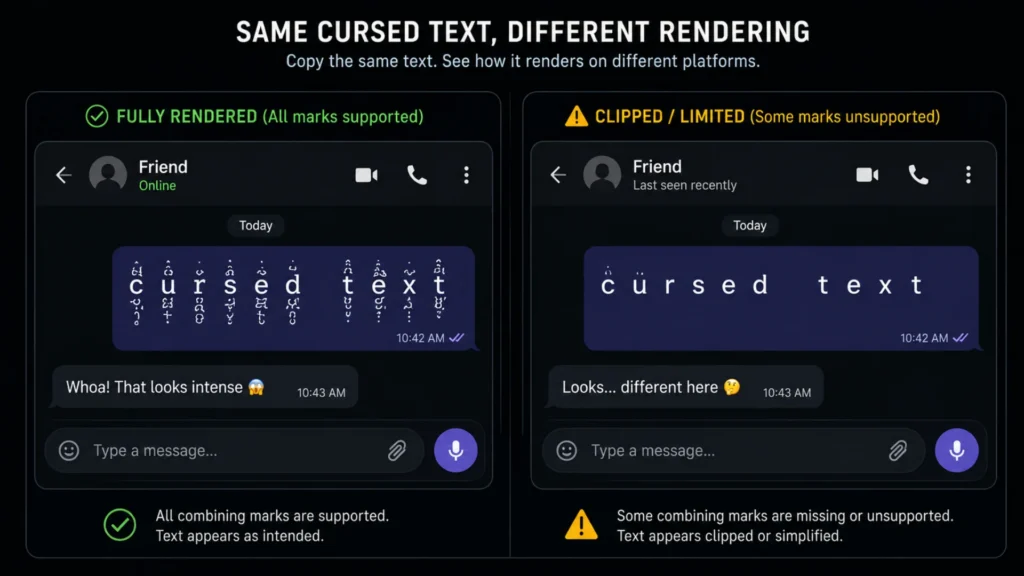
Some mobile browsers and apps cap the number of combining marks they render on a single character, purely for performance reasons. Once that cap is hit, extra marks get silently dropped, which is why the same cursed text can look noticeably less intense on a phone than it did in the generator preview.
Character Stripping in Input Fields
Many mobile input fields, particularly those for usernames, contact names, and SMS composition, run text through a normalization or filtering process before accepting it. This is a security and stability measure more than a deliberate restriction, but the practical effect is the same: heavily stacked Unicode gets trimmed down or rejected outright in fields that weren’t designed to expect it.
Performance and Lag From Heavy Stacking
Even when a phone can technically render dense cursed text, doing so repeatedly, like scrolling through a chat thread full of it, can cause visible lag on lower-end or older devices. This isn’t unique to any one app. It’s a natural consequence of asking a mobile GPU to draw far more visual detail per character than plain text normally requires.
App-by-App Mobile Compatibility
Real-world behavior varies noticeably depending on where you’re pasting cursed text:
- iMessage and standard SMS/RCS generally send cursed text successfully, though very dense text can cause preview lag or get truncated in notification banners.
- WhatsApp renders most cursed text reliably, since it treats messages as plain Unicode with minimal filtering.
- Instagram and TikTok bios and captions often cap how much distorted text displays cleanly, since bios have strict character limits that count each combining mark as its own character, eating into your limit fast.
- Discord’s mobile app handles cursed text about as well as its desktop counterpart, though extremely heavy Zalgo-style messages can still cause visible scroll lag in busy channels.
- Contact names and device usernames are the least reliable spots for cursed text, since many devices strip or auto-correct unusual Unicode sequences in these system-level fields specifically to prevent display bugs.
Custom Keyboards and Jailbreak Tweaks
Some users look for a dedicated keyboard or system tweak that generates cursed text natively, rather than copying it in from a website each time. On iOS, this has historically meant jailbreaking, since Apple’s standard keyboard extension system doesn’t support arbitrary Unicode injection the way some users want.
Jailbreaking carries real tradeoffs worth knowing about: it can void your device’s warranty, introduce genuine security risks by removing built-in iOS protections, and make future software updates unreliable. For nearly everyone, a simpler, safer approach works just as well: generate the text in your mobile browser or a dedicated app, then copy and paste it wherever you need it, requiring no system modification at all. Third-party custom keyboard apps available through official app stores offer a middle ground, letting you save frequently used cursed text snippets without touching your device’s core software.
Practical Examples
- Reliable use case: a moderately distorted cursed text caption pasted into an Instagram post’s main caption field, which has a higher character limit than the bio and handles Unicode more gracefully.
- Risky use case: an extremely heavy Zalgo-style phrase set as an iPhone contact name, which is likely to get auto-corrected or stripped by the system.
- Good middle ground: light-to-moderate cursed text used in a WhatsApp status or Discord mobile message, both of which render dense Unicode reliably without the strict field limits that bios and usernames impose.
Tips for Reliable Mobile Use
- Test in the actual app before committing. A quick paste-and-preview takes seconds and avoids finding out a caption got clipped after you’ve already posted it.
- Favor moderate intensity for mobile-first platforms. Bios, contact names, and notification-heavy apps tend to handle lighter distortion far more reliably than full Zalgo-level stacking.
- Copy from a mobile-optimized cursed text generator when possible, since some tools adjust output based on the device you’re using.
- Keep a plain-text version saved, so you’re not stuck retyping an entire caption if a platform strips the formatting after you’ve already written it.
Common Mistakes to Avoid
- Assuming a rendering failure means the text is broken. In almost every case, the underlying characters are fine; the app or field caps how much of the distortion it will display.
- Using maximum intensity in character-limited fields. Every stacked combining mark typically counts against a platform’s character limit, so heavy cursed text eats through bio and caption limits far faster than it looks.
- Jailbreaking solely to get a cursed text keyboard. The security and warranty tradeoffs are significant for a feature that a simple copy-paste workflow already covers.
- Ignoring older or lower-end devices. If you’re sending cursed text to someone else, remember that their device’s performance affects how it renders just as much as yours does.
Frequently Asked Questions
Does Cursed Text work properly on mobile?
Modern iOS and Android software have largely patched the most severe historical bugs, so this is uncommon today, though extremely dense cursed text sent to an outdated device can still cause temporary lag or a delayed preview.
Does cursed text drain battery faster than normal text?
Not in any way would you notice from a single message. Rendering a heavily stacked character does require slightly more processing than a plain letter, but the difference is negligible outside of scrolling through very large amounts of it at once.
Is there a native way to type cursed text on a phone without copying it from a website?
Not through the standard iOS or Android keyboard. Most reliable mobile users generate the text in a browser or app, then copy and paste it, or use a third-party keyboard app from an official app store built specifically for stylized text.
Does copying and pasting cursed text work the same in a mobile browser as it does in an app?
Mostly yes, since both ultimately hand the same Unicode text to your device’s clipboard, though some apps apply additional filtering on paste that a browser’s address bar or a notes app typically doesn’t.
Why does my cursed text look fine in the generator but different once I actually send it?
This is almost always the receiving app applying its own rendering limits or character filtering after the text arrives, rather than anything going wrong during the copy-paste process itself. A discussion of users specifically hunting for more consistent mobile support for this kind of text can be found in this Reddit thread requesting a dedicated keyboard for cursed text.
Conclusion
Does cursed text work on mobile devices in the technical sense that matters most: it’s plain Unicode, not a proprietary font, so any modern phone can display it. Where things get inconsistent is intensity and context. Heavy distortion runs into real-world limits around app-level filtering, character caps, and rendering performance, which desktop browsers rarely enforce as strictly. Understanding why cursed text looks broken on phone screens, and matching your intensity to the platform you’re actually using, is the difference between a caption that lands the way you intended and one that shows up half-stripped in someone’s notification banner.