What Are Unicode Symbols? The Building Blocks of Every Text Generator
What Are Unicode Symbols? Every glitchy username, every stacked accent mark, every emoji you’ve ever sent traces back to the same underlying system. Unicode symbols are the reason a text generator can turn “hello” into something that looks broken, the reason your phone can display a flag from a country you’ve never visited, and the reason an email written in Japanese opens correctly on a laptop built in California.
What are Unicode symbols in plain English? Covers Unicode text symbols explained by category, digs into Unicode combining characters specifically since they power almost every cursed text generator and glitch tool online, and shows exactly how this one standard ended up running underneath practically every piece of text on the internet.
What Are Unicode Symbols
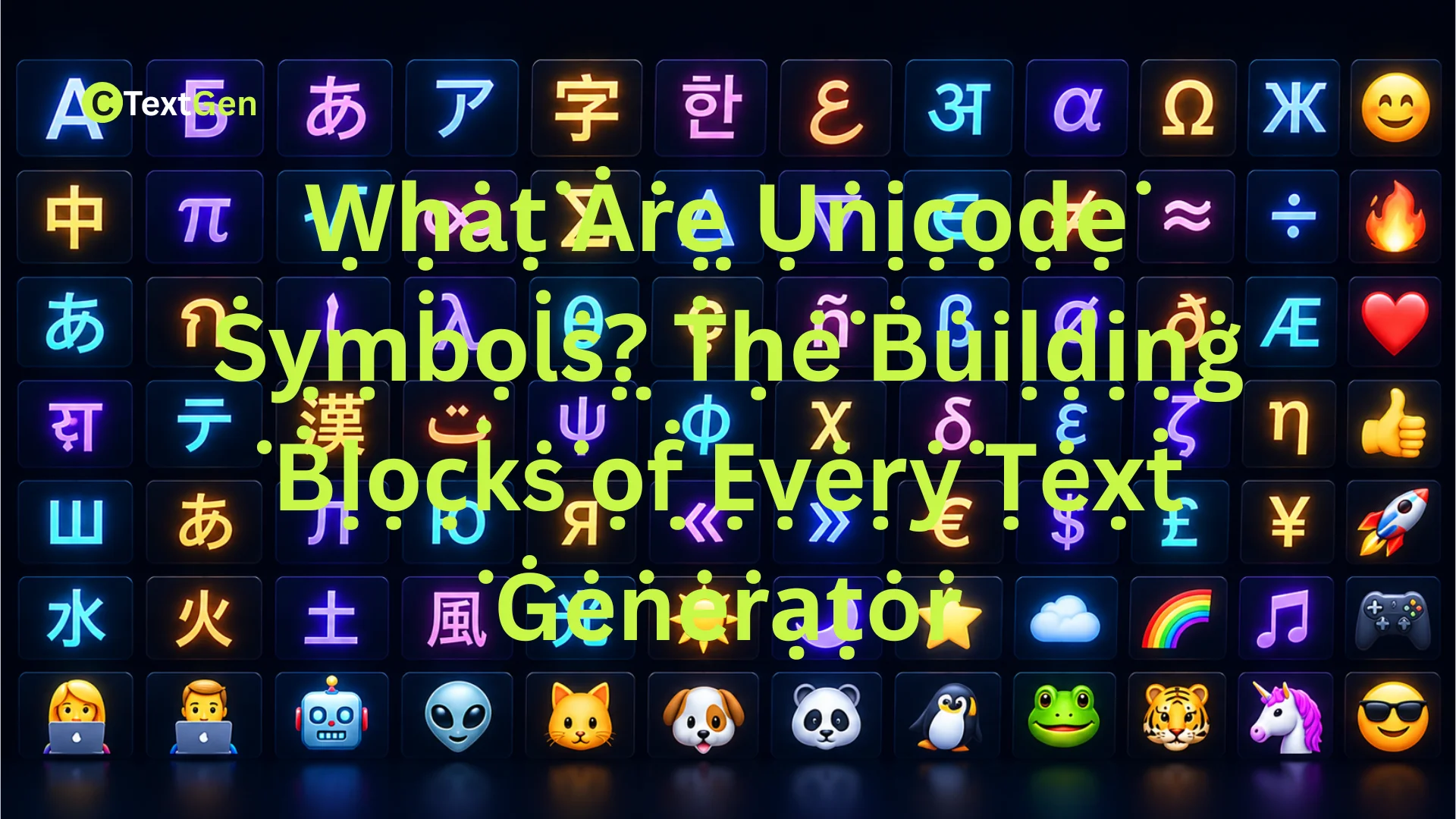
What Are Unicode Symbols? Unicode symbols are individual characters, each assigned a unique number, defined by the Unicode Standard so that computers, phones, and software from different companies can all agree on what a piece of text actually means. That includes letters from every major writing system, numbers, punctuation, mathematical notation, currency signs, emojis, and thousands of specialized technical marks.
The word “symbol” here is broader than it sounds. It doesn’t just mean icons like ♥ or ★. In Unicode terms, the letter “A,” the digit “7,” and a laughing-face emoji are all symbols in the sense that each one is a defined character with an assigned identity, separate from how any particular font chooses to draw it.
Unicode vs ASCII vs Fonts
Before Unicode, computer systems mostly relied on ASCII, a much smaller standard from the 1960s that covered only 128 characters, basically the English alphabet, digits, a handful of punctuation marks, and control codes. ASCII worked fine for English-language computing but had no way to represent accented letters, non-Latin scripts, or symbols beyond that original set.
What are Unicode symbols? It helps to know that Unicode was created to solve that limitation permanently. Instead of 128 characters, the current version of the standard, Unicode 16.0, released in September 2024, defines 154,998 characters spanning nearly every writing system in active and historical use. Unicode reserves space for up to 1,114,112 possible code points in total, organized across 17 planes of 65,536 code points each, though the vast majority of that space remains unused or reserved for future characters.
It’s worth being clear about one more distinction: Unicode is not a font. A font is a visual design that tells a device how to draw a character. Unicode is the underlying identity system that decides which character is being drawn in the first place. The same Unicode character can look slightly different in Arial versus Times New Roman, but it’s still the same character underneath.
How the Unicode Standard Is Organized
What are Unicode symbols? And how they function, by looking at the structure behind Unicode, makes the rest of this topic click into place quickly.
Code Points and Planes
Every Unicode character is identified by a code point, written in the format U+XXXX, where the letters and numbers after “U+” represent a hexadecimal value. The capital letter A, for example, is U+0041. A heart symbol is U+2764. These code points aren’t arbitrary. They’re assigned and maintained by the Unicode Consortium, a nonprofit organization founded in 1991 that includes major tech companies like Apple, Google, Microsoft, and Meta among its members and contributors.
Code points are grouped into 17 planes. Plane 0, called the Basic Multilingual Plane, holds most of the characters people use daily: Latin letters, common punctuation, widely used symbols, and the core character sets for major world languages. Later planes hold less common material, including historic scripts, specialized mathematical alphabets, and the bulk of modern emoji.
Unicode Blocks and Scripts
In specific contexts, Unicode symbols are further organized into named blocks within those planes, contiguous ranges dedicated to a specific script or category. Basic Latin, Cyrillic, Arabic, Hiragana, and Combining Diacritical Marks are all examples of Unicode blocks. This organization is why developers and typographers can reference “U+0300 to U+036F” and know precisely which functional group of characters they’re talking about, rather than a random scattering of symbols.
Unicode Text Symbols Explained by Category
Breaking the standard down by category makes it far easier to understand what you’re actually looking at when you encounter an unfamiliar symbol.
Letters, Numbers, and Punctuation
This is the largest and most familiar category, covering the full alphabets of languages like English, French, Russian, Arabic, Hindi, Mandarin, and hundreds of others, along with the digits and punctuation marks each language relies on. Unicode’s ability to represent all of these under one shared standard is what allows a single webpage to mix English, emoji, and Japanese text without breaking.
Emoji and Pictographic Symbols
Emojis are a formal part of the Unicode Standard, not a separate system layered on top of it. As of Unicode 16.0, there are 1,393 single-character emoji and emoji components, along with thousands of additional combinations built by joining multiple Unicode characters together using a special connector called a zero-width joiner. A family emoji showing multiple people, for instance, is often several individual Unicode characters rendered as a single image by the font.
Technical, Mathematical, and Currency Symbols
What are Unicode symbols? Includes character sets with no connection to natural language at all: mathematical operators like ∑ and √, currency signs covering dozens of national currencies, and technical marks used in fields like music notation, chess notation, and engineering diagrams. These exist precisely so specialized documents don’t have to fall back on images to display a formula or a currency amount correctly.
Unicode Combining Characters
This category deserves its own spotlight, since it’s responsible for practically every glitch and cursed text generator online. Unicode combining characters, found mainly in the range U+0300 to U+036F, are marks that don’t stand alone as letters. Instead, they attach to whichever character comes directly before them, positioning themselves above, below, or through that base letter.
In normal use, a single combining character creates an accented letter, like the acute accent that turns “e” into “é.” What are Unicode symbols in creative contexts? Text generators exploit the fact that Unicode never capped how many combining marks can attach to one letter. Stack a handful, and a word gets a subtly rough texture. Stack dozens, and the result is the dripping, chaotic look associated with Zalgo and glitch text, built entirely from real, standard Unicode characters rather than any special font or image.
How Unicode Symbols Get Encoded
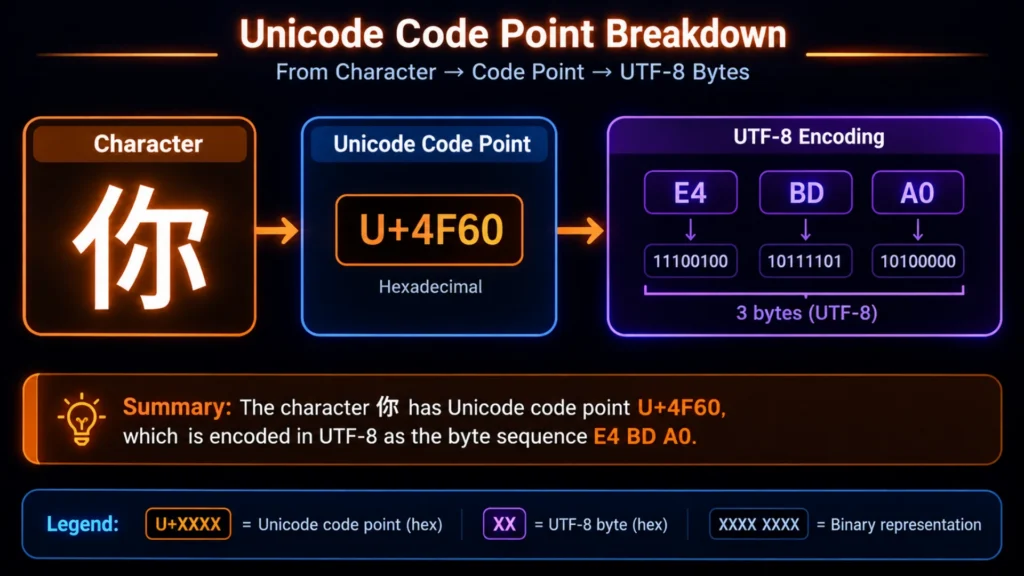
What are Unicode symbols? Computers still need a way to store and transmit that code point as actual bytes of data, and that’s where encoding schemes come in.
- UTF-8 represents each character using between one and four bytes and preserves the original ASCII byte values exactly, making it backward-compatible with older English-only systems. UTF-8 has become the dominant encoding across the modern web by a wide margin.
- UTF-16 uses two bytes for most common characters and four bytes for less common ones, using paired values called surrogates for anything outside the Basic Multilingual Plane. Windows and many programming environments use this internally.
- UTF-32 uses a fixed 4 bytes per character, regardless of how common it is, trading efficiency for simplicity.
When text displays as garbled symbols or boxes instead of the correct characters, a problem called mojibake, it is almost always because a document was written in one encoding but read using another, not because Unicode itself failed.
Why Unicode Symbols Are the Building Blocks of Every Text Generator
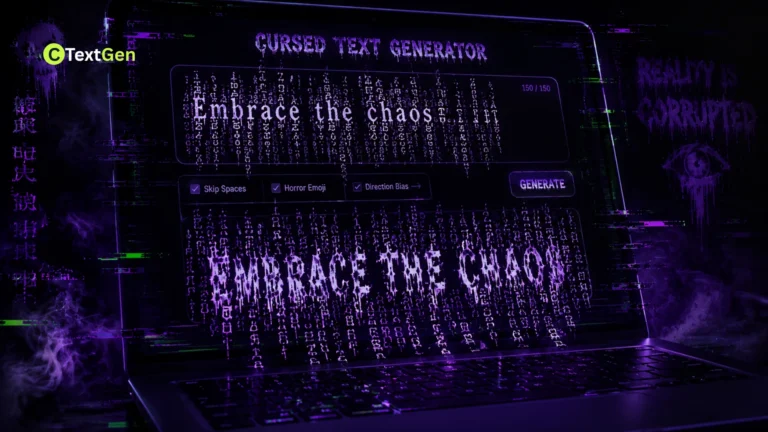
The reason why Unicode symbols matter so much to generator tools is simple: every text transformation tool you’ve ever used, from small caps to glitchy Zalgo text, works by mapping ordinary characters to different Unicode code points or by attaching combining characters to them. None of it requires downloading a special font because the transformation happens at the character level, within the text itself.
This is also why generated text can be copied and pasted anywhere that accepts standard text input, from a text message to a spreadsheet cell, while still occasionally breaking on platforms that restrict which Unicode ranges they display, such as some usernames, SMS gateways, or older software.
Practical Examples of Unicode Symbols in Everyday Use
What are Unicode symbols in practice? Here are a few common ways they function every day across different platforms:
- Currency reporting: a financial spreadsheet displaying £, €, and ¥ correctly across different regional versions of Excel, all pulling from the same Unicode currency block.
- Multilingual customer support: a chat widget handling a conversation that switches between English, Arabic, and emoji, all rendered correctly because every character shares the same underlying standard.
- Academic and scientific writing: a paper using mathematical symbols like ≠, ∞, and π directly in the text instead of inserting them as separate images.
- Stylized text generators: a bio or caption built using combining characters or alternate Unicode letterforms to achieve a decorative look without installing any font.
Tips for Working With Unicode Symbols
- Always specify UTF-8 explicitly in your code, database, and file exports, since inconsistent encoding across a system is the most common cause of garbled text.
- Use the Unicode name or code point, not just the visual symbol, when searching for a character or reporting a display bug, since visually similar symbols often have entirely different code points.
- Test decorative or combining-character text on the actual platform you plan to use, since not every app renders heavily stacked marks the same way.
- Keep a plain-text fallback for anything using less common Unicode symbols, in case a recipient’s device or font doesn’t support them.
Common Mistakes and Misconceptions
Here are a few common misconceptions people run into when learning about what Unicode symbols are:
- Assuming Unicode is the same thing as a font. Unicode defines what a character is; the font only controls how it’s drawn.
- Assuming every Unicode symbol displays identically everywhere. Rendering depends on the font and platform, so the same code point can look noticeably different across devices.
- Confusing emoji with images. Emojis are genuine Unicode characters with assigned code points, not embedded pictures, which is why they can be selected, copied, and searched like any other text.
- Assuming garbled text means lost data. In almost every mojibake case, the original bytes are intact and need to be reinterpreted with the correct encoding.
Frequently Asked Questions
How many Unicode symbols currently exist?
As of Unicode 16.0, released in September 2024, the standard defines 154,998 characters, though the total possible code point space is much larger, reserved for future scripts, symbols, and emoji.
Is emoji technically part of Unicode, or a separate system?
Emojis are fully part of the Unicode Standard, each assigned a real code point, which is why they behave like text characters rather than embedded images and can be copied, searched, and rendered by any Unicode-compliant font.
What’s the practical difference between Unicode and ASCII?
ASCII covers only 128 characters, essentially the English alphabet, digits, and basic punctuation, while Unicode covers nearly every writing system in use today, making it the standard that almost all modern software relies on.
Why do some Unicode symbols show up as empty boxes on my device?
That usually means the font you’re using doesn’t include a glyph for that specific character, even though the underlying code point is being read correctly. Switching to a font with broader Unicode coverage typically fixes it.
How do I type a Unicode symbol that isn’t on my keyboard?
On Windows, you can often type a character’s hexadecimal code point, then press Alt+X in supported apps to insert it. On Mac, the Character Viewer, opened with Control+Command+Spacebar, lets you search and insert any Unicode symbol directly. For more details on how the standard is maintained, the Wikipedia entry on Unicode is a solid starting point.
Conclusion
What are Unicode symbols? The simplest answer is that they are the quiet infrastructure behind nearly everything you type, read, or send. A single standard, maintained by the Unicode Consortium and adopted across virtually every major platform, is what lets a currency symbol, a stacked combining mark, and an emoji all live inside the same piece of plain text. Once you understand how code points, planes, and encoding forms actually fit together, every text generator, every glitch effect, and every mysterious garbled email stops looking like a mystery and starts looking like exactly what it is: one enormous, carefully organized character set doing its job.