Can You Copy-Paste Cursed Text Everywhere? A Complete Guide
Can You Copy-Paste Cursed Text Everywhere? You copy a cursed text phrase from a cursed text generator, paste it into a form or an app, and something’s off. Maybe it looks fine. Maybe half the distortion vanished. Maybe the field just refused to accept it at all. The frustrating part is that none of it feels predictable.
Can you copy-paste cursed text everywhere? Not quite, and the reasons why have very little to do with luck. This guide walks through cursed text compatibility across the platforms people actually use, lists specific apps that reliably support cursed text, and explains exactly where and why it tends to break down.
Can You Copy-Paste Cursed Text Everywhere? The Short Answer
Cursed text is built from standard Unicode characters, so in principle, yes, it can be pasted into any field that accepts plain text. In practice, compatibility depends on three things: how many combining marks are stacked per letter, whether the destination field applies any filtering or character limits, and how that specific platform counts Unicode characters toward its limits.
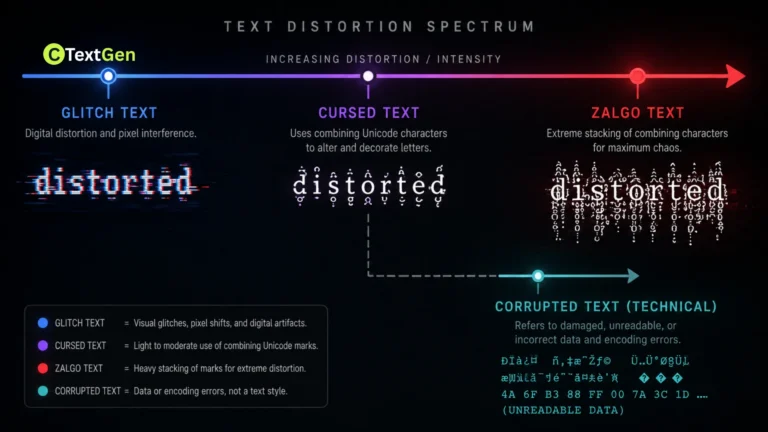
Light-to-moderate cursed text pastes cleanly into nearly everything. Heavily stacked, Zalgo-level text is where things get unpredictable, since that’s exactly the kind of input most character limits and input filters were never designed to expect.
Why Cursed Text Is Copy-Paste Friendly in the First Place
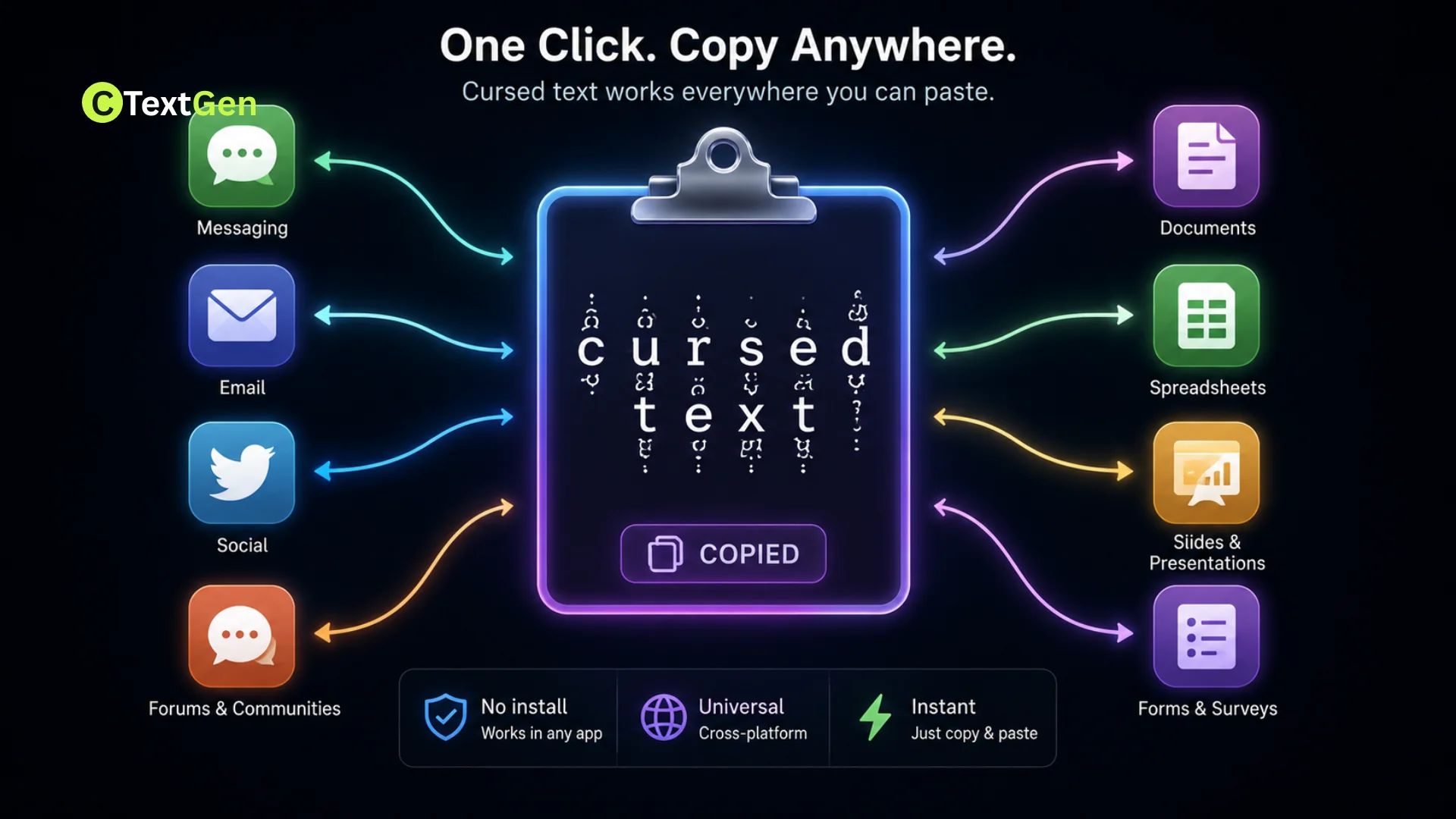
Cursed text works by attaching Unicode combining diacritical marks, the same category of character used for ordinary accents like the one in “café,” to each letter in a phrase. Because it’s built entirely from real, standard Unicode code points rather than an image or a custom font, your device’s clipboard treats it exactly like any other text. That’s the whole reason it travels so easily between apps, browsers, and operating systems. No font installation, no file transfer, no special permissions. Just plain text with more characters packed into it than usual.
Where Cursed Text Compatibility Breaks Down
If you’re asking, can you copy-paste cursed text everywhere? Three separate mechanisms cause most of the real-world failures people encounter, and they’re often confused with one another.
Character Limits Count Every Combining Mark
This is the one almost nobody explains clearly. Most platforms don’t count “letters” the way a human reads them. They count Unicode code points, or in some cases, specifically weighted code points. Every combining mark you stack onto a letter typically counts as its own character toward a platform’s limit, even though it looks like part of the same letter on screen.
X, for example, calculates character length using Unicode Normalization Form C, a standardization process that merges some accented characters into single code points where a precomposed version exists. But cursed text intentionally stacks far more combining marks per letter than any real accent would use, and most of those extra marks have no precomposed equivalent to merge into. The result is that a heavily distorted cursed text phrase can burn through a 280-character post limit, or a 160-character bio limit, dramatically faster than the same phrase would in plain writing.
Input Sanitization and Normalization
Many forms, especially usernames, account names, and anything tied to payment or identity verification, run submitted text through a sanitization process before accepting it. This strips or rejects unusual character sequences as a security and stability measure, not out of any specific objection to cursed text itself. It’s the same kind of filtering that also blocks other unusual Unicode patterns, and it tends to hit combining-mark-heavy text hard, since that pattern looks unusual to most sanitization rules.
Legacy Systems and Plain-Text-Only Fields
Some older systems and fields built specifically for structured data rather than free text, such as certain government forms, banking portals, or legacy customer databases, may not fully support the full Unicode range. These systems sometimes still rely on limited character sets, which can cause cursed text to display as boxes or question marks, or to be rejected during submission entirely.
Apps That Support Cursed Text
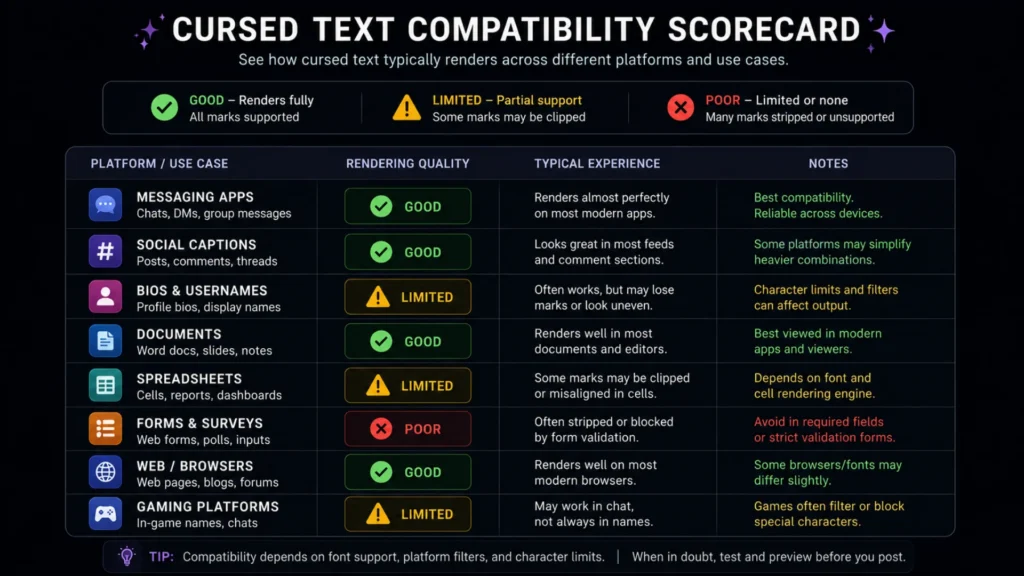
Here’s how compatibility actually breaks down across the categories people use most:
| Platform Type | Examples | Typical Compatibility |
|---|---|---|
| Messaging apps | WhatsApp, Telegram, Signal, Discord | Reliable for light to moderate text |
| Social media captions | Instagram, TikTok, Facebook | Reliable, but character limits apply |
| Social media bios/posts | X (Twitter), Instagram bio | Limited, since combining marks count individually |
| Documents and notes | Google Docs, Notion, Apple Notes | Very reliable, minimal filtering |
| Team and work chat | Slack, Microsoft Teams | Reliable for most intensity levels |
| Gaming usernames | Steam, Discord, Roblox | Inconsistent, often filtered or capped |
| Forms and accounts | Banking, government, e-commerce checkout | Frequently rejected or stripped |
How to Test Compatibility Before You Commit
If you are wondering whether you can copy-paste cursed text everywhere without issues, a quick habit saves a lot of frustration: paste your cursed text into the actual destination field first, before finalizing anything public or permanent. If a caption, bio, or username field cuts off mid-word or looks noticeably lighter than what you copied, that’s a sign the platform is trimming combining marks, not that your clipboard failed.
For anything going into a character-limited field like a social media bio, count on losing usable space fast. A phrase that looks like 15 letters can easily consume 150 or more counted characters once every combining mark is factored in.
Practical Examples
Seeing scenarios helps clarify that “can you copy-paste cursed text everywhere” with consistent results:
- Reliable paste: a moderately distorted phrase pasted into a WhatsApp message or a Google Docs file, both of which accept the full range of Unicode with essentially no filtering.
- Risky paste: the same phrase set as an X bio, where the 160-character limit gets consumed by combining marks far faster than the visible text length suggests.
- Likely rejection: heavy, cursed text submitted in a legal name field on a banking or government form, which is built around a narrower character set for identity verification.
Tips for Reliable Cursed Text Compatibility
- Keep intensity moderate for character-limited platforms. Fewer combining marks per letter mean more of your actual message survives the count.
- Always preview before publishing, especially on bios, usernames, and anything with a visible character counter.
- Use plain text as a fallback. Keep the original, undistorted phrase saved separately in case a field strips or rejects the styled version.
- Favor messaging apps and documents over structured forms when compatibility matters most, since they apply the least filtering.
Common Mistakes to Avoid
- Assuming a rejected paste means the clipboard is broken. It’s almost always the destination field filtering or normalizing the input, not a copy-paste failure.
- Not accounting for weighted character counts. Platforms like X count many Unicode sequences as more than one character each, which constantly catches people off guard.
- Using maximum-intensity cursed text in identity or payment fields. These are the least compatible category by a wide margin, for legitimate security reasons.
- Forgetting to test on the actual platform. A phrase that looks perfect in a generator’s preview window can still behave differently when it encounters a real app’s specific rendering and filtering rules.
Frequently Asked Questions
Does copying cursed text change its underlying encoding?
No. Your device’s clipboard copies the exact Unicode code points as they are, without altering the encoding. Any changes you see after pasting come from how the destination app renders or filters that same text, not from anything happening during the copy itself.
Can you copy and paste cursed text into a PDF?
Yes, if you’re pasting into a PDF editor or a text field within a fillable PDF form, most modern PDF tools support standard Unicode text. Scanned or image-based PDFs are a different case, since there’s no actual text layer to paste into.
Does autocorrect interfere with cursed text after pasting?
Generally, no, since autocorrect typically evaluates typed input rather than pasted text, though some mobile keyboards may still flag or adjust it if you continue typing directly after the paste.
Is there a practical limit to how much cursed text you can paste at once?
There’s no universal limit, but very long cursed text passages can noticeably slow down rendering, especially on mobile devices or in apps not optimized for dense Unicode content, so shorter, more intentional use tends to work better anyway.
Do international keyboards or non-English locales affect compatibility with cursed text?
Not meaningfully, since Unicode combining characters work the same way regardless of keyboard layout or system language. The compatibility issues that do arise stem from platform-level filtering and character limits, not from locale settings. A wider community explanation of how this text style works, including its Wikipedia sourcing, appears in this Reddit discussion referencing the Zalgo text Wikipedia entry.
Conclusion
Cursed text pastes almost anywhere that accepts plain text, and the moments it fails come down to predictable, explainable reasons rather than bad luck. Character limits count combining marks individually, security-focused fields filter unusual Unicode patterns, and a handful of legacy systems weren’t built for text this dense. Once you understand where cursed text compatibility actually breaks down, choosing the right intensity for the right platform stops being guesswork and starts being a five-second decision.